FREE MAC APP · OPEN SOURCE
Bower
Every project gets its own desk. Press ⌥2 and the windows you don't need step out of the way, on every display at once. No Spaces slide.
Your Mac, sorted by project
Nine named layouts
Mail, Design, Dev… Each one remembers its windows on every display. ⌥1 to ⌥9 switches instantly, with no animation to sit through.
Snap anything
Halves, quarters, thirds, two thirds, maximize. Hold the keys and you see where the window will land; let go and it's there.
The Snap Wheel
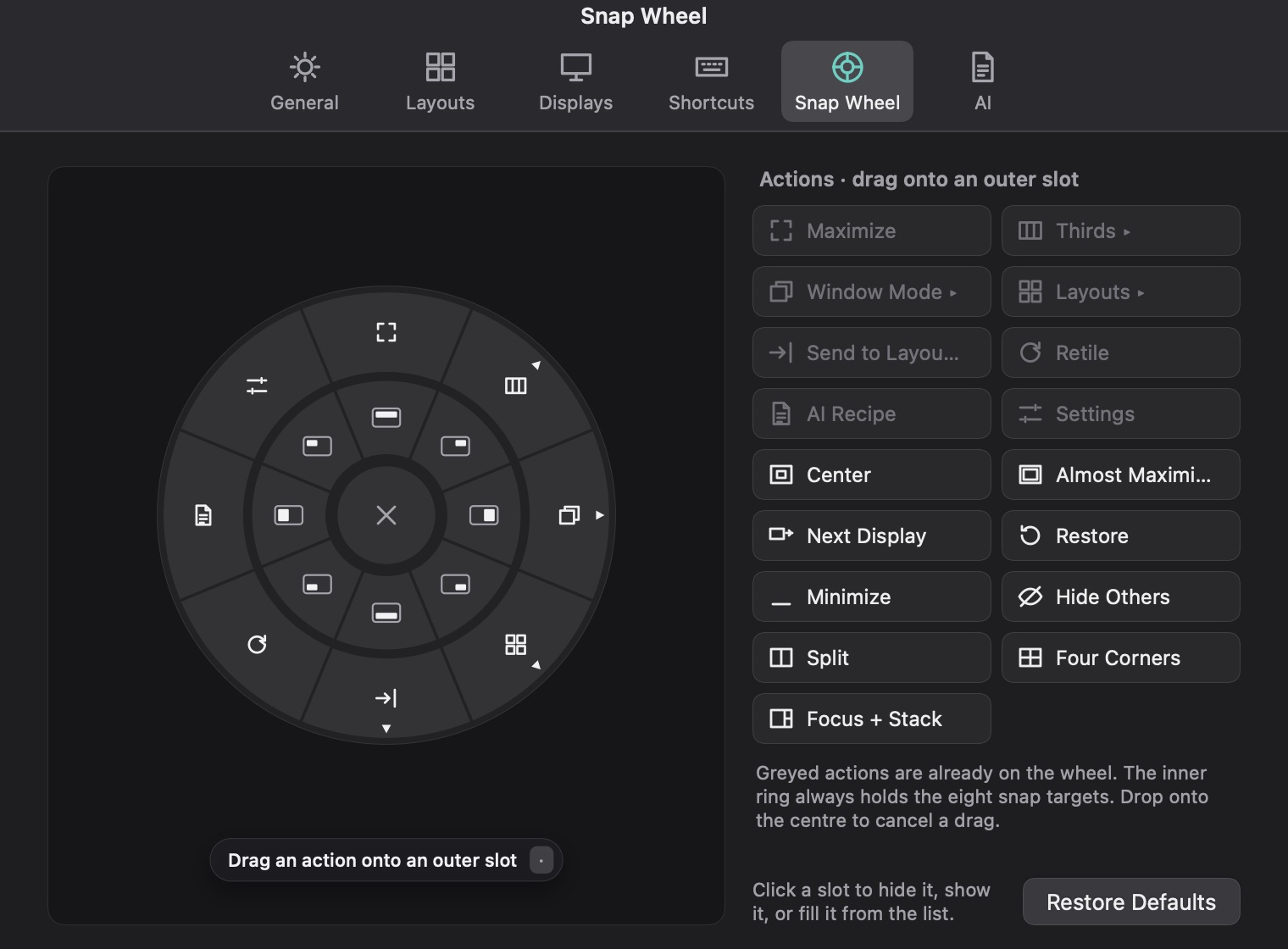
Middle-click, tap with three fingers or press ⌃⌥Space. A wheel opens under your cursor. Rearrange its ring however you like.
Bento Box and Tabs
Per display: let windows tile themselves, or stack windows from any app behind tabs. Open or close a window and the display sorts itself out.
It remembers
Save a whole desk as a workspace. Quit an app or restart the Mac and windows go back to their layouts. Unplug a monitor and its windows wait on a shelf.
AI Recipes
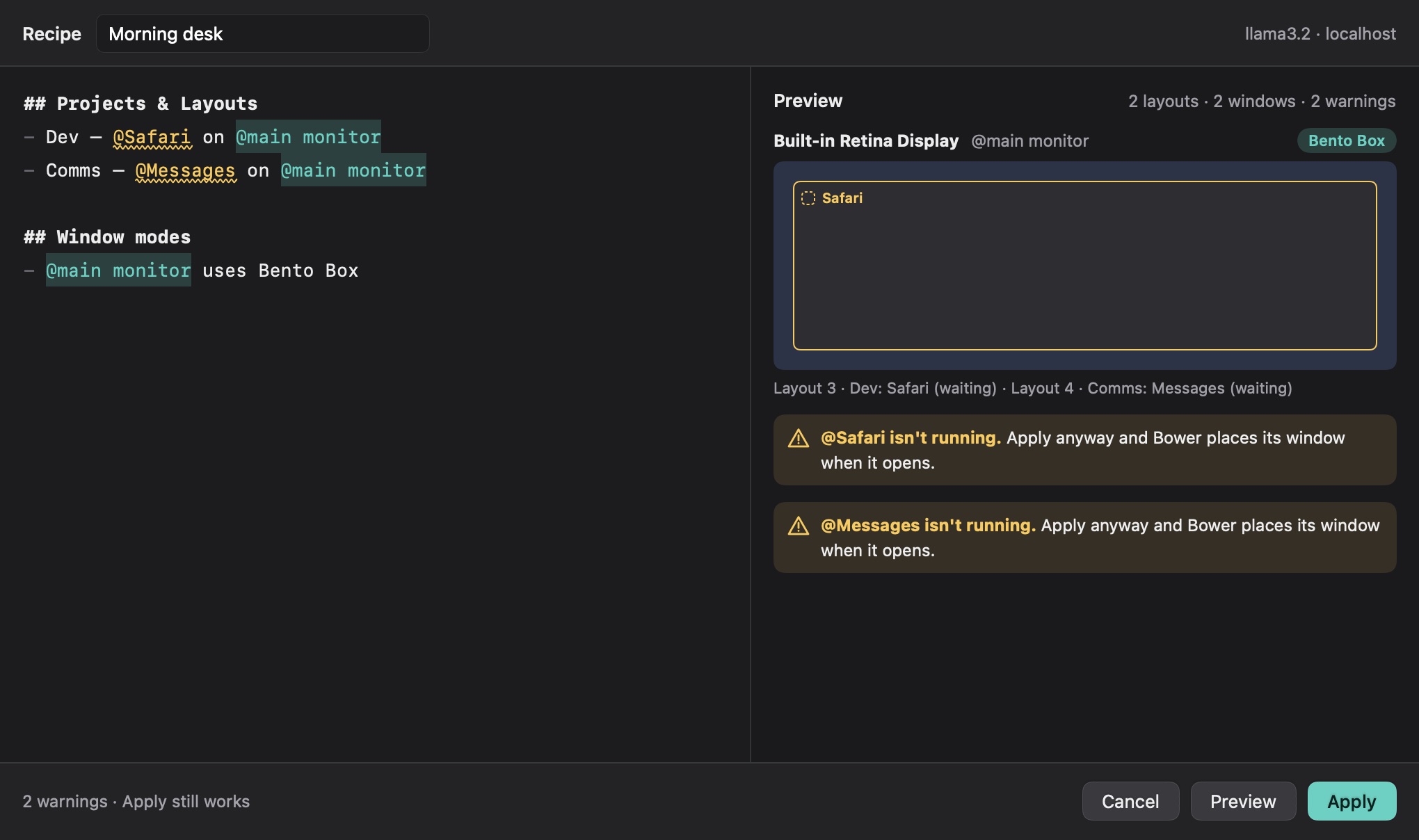
Describe your desk in plain Markdown. A model on your own Mac plans it, you look at the preview, and nothing moves until you press Apply.
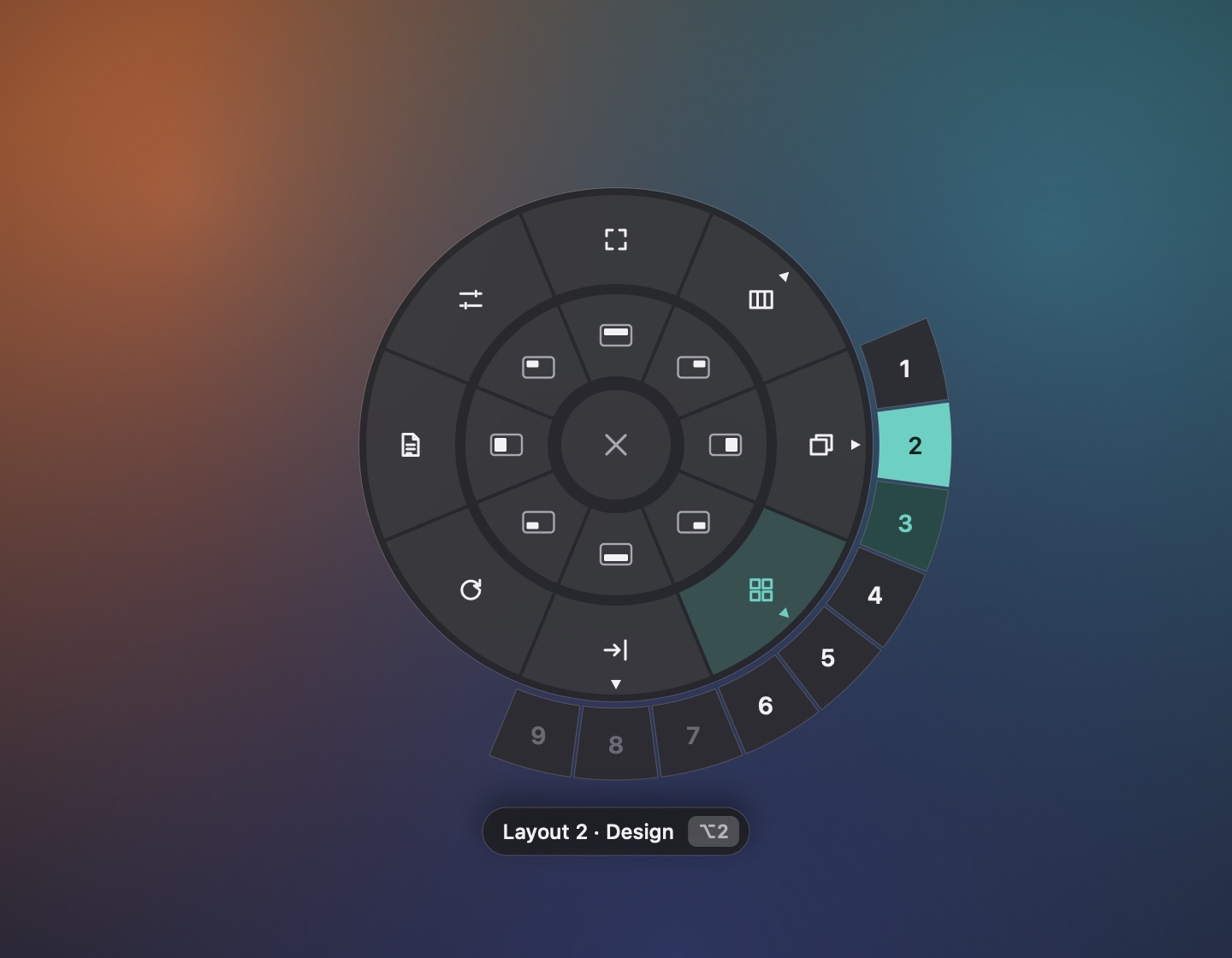
A wheel right under your cursor
The inner ring snaps the window you're in. The outer ring switches layouts, sends windows to them, changes a display's mode or retiles it.
Don't need Retile? Swap it for Center, Next Display or Four Corners in Settings.
Recipes: describe it, get it
“Dev: Code and Terminal on the main monitor, Slack on the side one in Bento Box.” Bower asks a model for a plan, draws it, and applies it when you say so.
Works with Ollama, LM Studio or any OpenAI-compatible endpoint. Your recipe goes nowhere else.
Every layout, one glance
Press ⌥↑ for the Layouts Bar. Click a layout to switch, or drag a window's icon onto another layout to move it there.

Install it in three steps
- Get Xcode from the App Store, then XcodeGen:
brew install xcodegen - Download the code from GitHub and run
./install.sh. Bower lands in your Applications folder. - Allow Bower in System Settings › Privacy & Security › Accessibility. The welcome window walks you through the rest. The full guide
Questions you're about to ask
Do I have to turn off SIP?
No. Bower only needs the Accessibility permission. SIP stays on.
Where do the other layouts' windows go?
Just past the bottom-right corner of a display, where macOS keeps a sliver of them. Switching back brings them to exactly where they were, and quitting Bower brings every one of them back.
Does it work with Spaces and full-screen apps?
It works on the Space you're in, because macOS only shows an app that Space's windows. Use it from your desktop rather than from a full-screen app.
Does it send anything anywhere?
No. No account, no analytics. The only network call is an AI Recipe, and it goes to the endpoint you choose. With Ollama or LM Studio, that's your own Mac. Privacy
Is it free?
Yes. Free, MIT-licensed and open source. It speaks English, Persian, Japanese, German, French, Spanish, Portuguese and Italian.